Thursday, April 12, 2007

Reading :: Good to Great

Good to Great
by Jim Collins


Jim Collins' Good to Great, which follows on the heels of his bestselling Built to Last, has become a bestseller in its own right. Collins, who left his faculty position at Stanford's Graduate School of Business to found a management research lab in Boulder, attempts to define what distinguishes "good" companies from "great" companies. How do companies make this transition, and what are their characteristics?

To be specific, his team studied
companies that showed the following basic pattern: fifteen-year cumulative stock returns at or below the general stock market, punctuated by a transition point, then cumulative returns at least three times the market over the next fifteen years. (pp.5-6).
Eleven companies on the Fortune 500 fit these characteristics. His team compared each company directly with a competitor in the same industry. They also examined six "unsustained" comparisons, companies that made a short-term shift but did not sustain that trajectory. That made a total of 28 companies (pp.7-8).

The comparisons were not just financial. Collins' team also examined "articles, analyses, interviews, and the research coding" (p.9), systematically comparing the "good-to-great" examples to their comparisons. Based on this work, they drew several conclusions that cut across the grain of management wisdom:
  • "Celebrity" leaders who were brought in to run companies were negatively correlated with success. The good-to-great companies were characteristically run by people who came from within the company and who were both modest and determined.
  • No forms of executive compensation appeared to have any effect.
  • Long-range strategic planning did not appear to have any effect.
  • Good-to-great companies were as likely to focus on what not to do as they were on what to do.
  • Technology did not precipitate good-to-great transitions, although it could accelerate transitions that were already in progress.
  • Mergers and acquisitions played no role.
  • Good-to-great companies spent little time on motivating people.
  • Good-to-great companies did not launch efforts with events or programs; they often were not aware of the magnitude of changes at the time.
  • Good-to-great companies were not generally in great industries; they performed despite their industries. (pp.10-11)
In many ways, then, this book is the analogue to The Millionaire Next Door, the famous study that revealed how many millionaires live in middle-class neighborhoods and drive used cars.

Collins found that great leaders, so-called "Level 5" leaders, were "self-effacing, quiet, reserved, even shy" (p.12), a sharp contrast to the brash type-A personalities that we often think of as leaders. These leaders, Collins says, tended to focus on getting the right people first, before setting vision or strategy (p.13). The best companies, like prisoners of war, confronted the brutal facts about their situations even as they maintained faith that they would prevail (p.13).

Good-to-great companies also employed what Collins calls the "hedgehog concept": staying within the intersection of (a) what the company can be best in the world at; (b) what drives the company's economic engine; (c) what the company and its people are deeply passionate about (pp.95-96). They did not stray out of that intersection, while comparison companies tended to diversify too much or hang onto a legacy area for too long.

The good-to-great companies had a "culture of discipline": "When you have disciplined people, you don't need hierarchy," Collins states (p.13). They also used carefully selected technologies to accelerate their momentum, without relying on that technology for the initial spark (pp.13-14).

Finally, these transitions relied on steady momentum rather than great leaps, a concept that Collins calls the "flywheel" (p.14).

Okay, let's get critical. I really like the narrative of this book, which follows the plot of Aesop's fable about the ant and the grasshopper or the tortoise and the hare -- and I always root for the ant and the tortoise in those stories. On the other hand, those stories are a bit simplistic. And even though I believe Collins when he says these stories emerged from the data, I see places in which they also tend to be a bit simplistic.

For instance, at least in the telling, the study seems to rely heavily on the recollections of the good-to-great companies' CEOs and executives, and retrospective interviews are notoriously unreliable. Some of the interview questions also relied on simplistic categories: CEOs, for instance, were asked to name their "top five factors in the shift from good to great" (p.155), as if abstract and overbroad categories such as "technology" and "consistency" were discrete and readily evaluated. Similarly, Collins tends to overemphasize the individuals' roles in the transitions, not only focusing on the executives but also asserting that they key to success is hiring "the right people" (p.192) -- while underdefining what constitutes "right." When Collins talks about how workers collaborate, which is not often, he characterizes successful collaboration as a natural result of hiring people who are passionate and motivated. That is, the system is simply an effect of having the right individuals.

Even though I'm skeptical of some aspects of the study, though, the book is quite valuable for thinking through what it takes to build sustainable positive change within an organization. The precepts generally make intuitive sense, particularly the notion of working steadily in one direction (like the turtle, I suppose, rather than the hare), and Collins' clear writing style makes the pages turn quickly. I'll be using this book as a reference as I continue to work within my own organizations.

Sunday, April 08, 2007

Game :: The Legend of Zelda: Twilight Princess

The Legend of Zelda: Twilight Princess

Longtime readers of this blog will recall that although I rarely read fiction, I enjoy long narrative console games. The gold standard of this genre, of course, is The Legend of Zelda: The Ocarina of Time (N64), which has been called the Citizen Kane of gaming. Ocarina's combination of strong narrative, puzzle solving, and combat earned it a perfect 10 in reviews, and it was so popular that it was rereleased on the GameCube with new puzzles. Even with comparatively low-res graphics, it's still a compelling and challenging game.

Ocarina is part of a long series of Zelda games, starting in 1987. In every game, Link has to acquire skills and a series of tools by visiting different dungeons and beating different bosses, finally saving the Princess Zelda and the land of Hyrule from the villain Ganondorf. Each time, by the way, the principals are the same but the details are different, and this fact is addressed in the later games by referring to past legends of the hero Link and etc. This mythos was brought out most strongly in The Legend of Zelda: The Wind Waker, the GameCube offering that came out a few years ago. (See my review.) Wind Waker was enjoyed by many and reviled by many others, due to its use of cel shading and its cartoonish look. Personally, I liked the look a lot, but I didn't like the tedious nature of travel or some of the unavoidable side quests. I really liked the continuity, though.

Wind Waker's follow-up is last year's Twilight Princess, released simultaneously for the GameCube and the Wii. The advance buzz was very strong, with some critics claiming that it was even better than Ocarina. We got it as soon as we got the Wii, and I went to work. TP has gone for a much more realistic look than any other Zelda game, and it pays off, producing a game that feels more serious and adult than Wind Waker. Is it better than Ocarina? I don't think so -- but I think it comes very close.

The story is very strong, as with most of the other Zelda series (except the execrable Majora's Mask, the only game that made me actively hate all NPCs). Like Ocarina and Wind Waker, TP starts Link off in his own village, meeting the villagers via low-stakes puzzle solving. The gameplay ratchets up fairly quickly once the basic skills are learned, though, and anyone who has played the other Zelda games won't have too much trouble learning them. (The Wii controls do present some challenges, though, which I'll get to in a moment.) After a short time, Link is off to Hyrule Field with his beloved horse Epona -- a name you'll recognize from Ocarina. In fact, you'll recognize a lot from Ocarina: TP is most emphatically a sequel to that game, a direct sequel, so the tools, locales, and even dungeons are essentially the same, though eons later. That Link's adventures are all but forgotten, but you acquire his garb, gallop through his lands, and eventually fight his nemesis.

Let's take a moment to discuss this, because it really has an effect on how you view the game. Two points really jumped out at me as making these direct connections. One is when you visit the fishing shop, and the proprietor casually mentions that one of the pictures on the wall is of a supposed ancestor, the championship fisherman of his day. It's a screen grab of the proprietor of Ocarina's fishing shop -- a little detail that puts you on notice that this isn't just a retelling. The other is when you pick through the ancient ruins of a building in a sacred grove, find out how to open the ruined doors in a clearing, and on the other side, you see what building once stood there: Ocarina's Temple of Time. It's hard to describe how viscerally this hits someone who has played the previous games, each of which creates a specific mood and fosters a deep emotional connection with the land and the mythos.

But although this is the same Hyrule of Ocarina, it's a very different experience. In Ocarina, the scale was so small: mountains seemed like hills, rivers seemed like streams, and Lake Hyrule seemed like hardly more than a pond. In TP, though, the effect is the opposite: Hyrule Field seems like an entire country, Lake Hyrule seems enormous and incredibly deep, and even the dungeons seem cavernous. The twilight that threatens to take over Hyrule is just creepy in a Japanese anime sense, and adds quite a bit to the effect.

Puzzle solving and tools are not terribly different from the other games. One surprising and disappointing thing, though, was that the dungeon bosses were not hard to beat -- in fact, the sub-bosses were consistently harder. This is true pretty much up to the point that you face Ganondorf himself, at which point the difficulty ratchets up considerably.

Unlike Ocarina, there is no magic system to speak of. However, you do spend a lot of time as a wolf, and later in the game you have to switch back and forth between human and wolf in order to make any headway. You do also visit several places that weren't in Ocarina.

Some have complained that the game, which was developed for the GameCube and ported to the Wii for its release, doesn't make good use of the Wii's graphics capabilities. Maybe. But my chief gripe was the controls. To swing the sword, you swing the Wiimote, which seems like a great idea but does not work as well in practice. To perform a spin attack, you shake the Wii's Nunchuck attachment lightly, something that worked inconsistently for me. I also found that I had a tendency to turn the Nunchuck inwards without realizing it, so I would sometimes think I was pushing the control stick forward when I was really pushing it sideways. Most distressingly, while swinging the sword, I found that the Nunchuck would sometimes detach for a split second and reattach while I was pressing the control stick -- and suddenly the Wii would think that center position = back and forward = neutral. That made it difficult to fight, and I got used to temporarily pausing so I could reset the stick orientation.

Nevertheless, the game is really quite good, and I am impressed at how well told and moving the story turns out to be. Defeating Ganondorf was satisfying (although I started to feel sorry for him, since the game allows you to retry if you've been defeated, and I took advantage of that four or five times during the final battle). The great thing is that, now that I've won the game, I can wander around Hyrule exploring all the parts I didn't get to. That's what I'll probably be doing in my spare time next week.

Saturday, April 07, 2007

Joi Ito on Jaiku vs. Twitter

I surfed over to Jaiku.com annd spent a few seconds looking at the big map on their homepage, the one that looks like Twittervision, in which new messages show up on the globe as they're posted. Coincidentally, Joi Ito posted just that moment to note that he had blogged on the differences between Jaiku and Twitter.

Well, it was fate, so I clicked through.

The post is interesting in that Ito has a relationship with both companies, and he elaborates minimally on the point he made at SXSWi2007 that the US has been slow to "get" SMS compared to Asia and Europe. But the post ends abruptly, as if Ito had been called to dinner just before starting the main point of the post. Maybe we'll see more thoughts later.

Joi Ito's Web: Jaiku vs Twitter

technorati tags:,

Blogged with Flock

Thursday, April 05, 2007

Jaiku, social networking, and human activity

When looking at Jaiku, a Helsinki-based service with some similarity to Twitter or Dodgeball, I noticed that the co-founder was Jyri Engeström. Engeström + Helsinki may ring some bells, and in fact, one of Jyri's contacts is Yrjö Engeström. It's not clear what their familial relationship is, but I can guess.

Jyri is a Ph.D. student at Lancaster, studying the relationship between technical innovation and organizational transformation.

What I'm interested in is how these study insights are being transformed into a social networking app. It's unclear to me how many of these services have any sort of theory behind them, so it'll be interesting to determine whether this particular service can translate theory into practice.

Jaiku | About Jaiku

technorati tags:, , ,

Blogged with Flock

Wednesday, April 04, 2007

Coop

Everyone's talking about the currently-just-proof-of-concept social browser Mozilla Labs is working on. Steve O'Hear on the Social Web has a pretty good take, and asks the obvious question: Where does this leave Flock?

I've been using Flock, the social browser built on Mozilla Forefox, for a few months now and am finding that it has more potential than it has realized. I love being able to use del.icio.us as integrated bookmarks searchable through the search window; I love the Flickr integration; I like (but do not love) the integrated post-to-blog feature (which I'm using right now). On the other hand, so much more social networking integration is possible, and the integration that exists is not entirely smooth. For instance, I sometimes bookmark pages that never show up on del.icio.us, or do so only after a long delay.

So Coop seems like a promising development in that it offers competition in the social browsing arena. On the other hand, I feel a little bad for Flock's backers: Flock has done a lot to advance social browsing, and it looks like they will get the customary thanks that first movers get in the tech arena.


» Firefox exploring social networking features | The Social Web | ZDNet.com

technorati tags:,

Blogged with Flock

Obama campaign goes Web 2.0 on policy

Barack Obama's website has a policy page in which citizens follow this process:

  1. Weigh in with their own ideas, stories, messages, and video
  2. Collectively "define and refine the best ideas"
  3. Incorporate the best ideas into the campaign's policy
This process is touted as "open source policy development," but shares a lot with participatory frameworks such as future workshops. It'll be interesting to see if it takes off.

techPresident – Open Source Policy Development

technorati tags:,

Blogged with Flock

Zinch: Social networking for those seeking universities

From the description (my emphasis):
Zinch is a disruptive technology that changes the way students will find and be found by universities. The current system of college recruiting and application is broken. The only way the universities can find students is to buy list of students with a high ACT or SAT score. This is only useful to the most cerebral universities and students. Everyone else is left on their own. Zinch solves that problem by recognizing that students are more than a test score and that most universities care about more than your test scores. Students get to represent themselves however they would like by posting test scores, videos, text, images, music etc. This is changing the game by bringing the universities to the students instead of the other way around.

Zinch.com - Bring the Schools to You - KillerStartups.com

technorati tags:, ,

Blogged with Flock

Monday, April 02, 2007

Reading :: The Age of the Network

The Age of the Network
by Jessica Lipnack, Jeffrey Stamps


David Ronfeldt offhandedly cited this book in his monograph on societal organization, so I put it on the list. It's oriented toward business readers, and perhaps in consequence it is thin on the scholarly side and overpromises the results of networked organizational structures. However, it does provide a useful introduction to the differences among organizational structures.

Lipnack and Stamps' central argument is in a pull quote on the first page:
The network is emerging as the signature form of organization in the Information Age, just as bureaucracy stamped the Industrial Age, hierarchy controlled the Agricultural Era, and the small group roamed in the Nomadic Era. (p.3)
Sensibly, the authors point out that networked organizational structures do not supplant earlier forms of organization, but coexist with them. Hierarchies don't cease to exist. (Ronfeldt cites this argument in his similar argument about societal organization.) And although the distinctions are made a bit superficially, the authors do provide some good examples of how networks coexist with other structures and how they are implemented through "teamnets," "coopetition," and boundary crossing.

Lipnick and Stamps argue that networks have five key organizing principles: unifying purpose; independent members; voluntary links; multiple leaders; and integrated levels (p.18). Networks, they say, exist at the top of "organizational sediments" that include previous forms (bureaucracies, hierarchies, and "small groups" or what Ronfeldt calls tribes)(p.35). Like Ronfeldt, they peg these organizational types to epochs (p.38) and, later, to human evolution (p.140). In this latest phase, the Information Age, "relationships are the dominant reality" (p.42) and links across agents increase dramatically, leading to greater horizontal complexity across and within organizations. Those links convey the benefits of flexibility, power, and speed (p.70), but only if the complexity can be managed.

That's the meat of the book; the authors go on to discuss case studies and extract principles, but also to offer heuristics that seem a bit too simple (such as a "hierarchy ruler," p.137). They get positively giddy in Chapter 7, which is about online communication, and promise far too much. But the first few chapters serve as a worthwhile primer for net work.

Reading :: Sources of Power

Sources of Power
by Gary Klein


I've been sitting on this book for weeks, waiting for my other projects to quiet down so I could spend the time to review it. It's a really fascinating book about how people make difficult decisions under trying circumstances.

I'm not that familiar with the field of decision making, although it has a lot of apparent overlap with the problem solving studies that I've read (Lave & Wenger, Suchman, Scribner, etc.). In fact, he acknowledges that problem solving and decision making tend to blur in natural settings (p.141).

In this book -- which is well written and accessible for a lay audience despite being based on rigorous qualitative research -- Klein tackles the question: why do people work so well and make such good decisions under difficult decisions? To investigate, he describes several careful naturalistic studies of decision making
  • under time pressure,
  • in high stakes activities (firefighting, warfare),
  • by experienced decision makers,
  • with inadequate information,
  • when goals are unclear,
  • with poorly defined procedures,
  • involving "cue learning," the ability to recognize patterns and make distinctions,
  • in context,
  • under dynamic conditions, and
  • in teams
  • (pp.4-6)
That's a lot of constraints, but together they make for a focused set of studies that cut across several domains and enable Klein to make some strong claims about decision making.

For one thing, he becomes very skeptical about formal decision-making processes (p.29), arguing instead for a renewed valuing of tacit knowledge: "Intuition grows out of experience," he argues (p.33), sounding a lot like researchers who have studied tacit knowledge in education and HCI and workplace studies.

He also argues that "mental stimulation" -- the ability to model consequences of different solutions mentally before trying them out physically -- is a central skill (p.45), although limited by the mind's memory constraints (p.53) and the tendency to rationalize conflicting evidence (p.65). He claims that successful decision makers operating under these constraints tend to come up with a single strategy for solving the problem; unsuccessful ones often follow a more formal comparative evaluation, which is appropriate for deliberation but not for decisionmaking under these constraints. Similarly, "forcing functions" of the environment lead plan structure: stable environments and plentiful resources lead to complex interconnected plans, while rapidly changing environments with scarce resources lead to modular, limited plans that were more fault-tolerant and segmented (p.145). (Klein doesn't go into the implications for netwar, but they seem obvious.)

Klein identifies eight aspects of expertise: "things that experts can see that are invisible to everyone else." I'll just block quote these:
  • Patterns that novices do not notice.
  • Anomalies -- events that did not happen and other violations of expectancies.
  • The big picture (situation awareness).
  • The way things work.
  • Opportunities and improvisations.
  • Events that either already happened (the past) or are going to happen (the future).
  • Differences that are too small for novices to detect.
  • Their own limitations. (pp.148-149)
Klein also points out that expert decision makers generate counterfactuals as well: "explanations and predictions that are inconsistent with the data" (p.154).

Not surprisingly, Klein advocates for increasing initiative in organizations (such as military and fire-fighting units) by decreasing central control, pushing decision making out to the people who are most immediately engaged with the decision making context (p.224). He stresses that this means commanders have to learn how to communicate intent while leaving discretion to those who implement that intent (p.225). (This is the distinction between command and control that we're seeing a lot about in netwar and power-to-the-edge approaches.)

Towards the end of the book, in Ch.14, Klein draws some regrettable analogies between team and individual minds and between team development and the development of individual cognition. These analogies are problematic, given what we know about early cognitive development, but present only a minor flaw in the book.

Klein ends in Ch.17 with a discussion of the naturalistic research he conducted and a stirring defense of qualitative research in general.

Overall, I was impressed by the book and would even consider assigning readings from it for a qualitative research class. Klein's clear descriptions, well chosen illustrations, and careful research make for a solid piece of work that sheds light onto decision making and complements the sociocultural literature on problem solving.

HiTask

This looks really, really interesting. It's a sort of cross between Basecamp and TaDa Lists. But the killer here is that you can list your tasks in various ways: by project, by chronology, by color (arbitrary categorization). It also uses tags.

HiTask - free online task management

technorati tags:,

Blogged with Flock

Instructional videos are now almost as easy as instructional text

Sure they are. Digital video is cheap, often built right into your phone. YouTube is out there. And startups such as 5min and Jabbits aim to create specialized platforms for short instructional videos and video Q&A, respectively. Just as the read/write web allowed everyone to share their text instructions, these changes will allow everyone to share video instructions -- probably a beneficial move, since people have different learning styles.

CSUN report

Josh Whiting of WebAIM reports on the recent CSUN conference. Among the highlights: WAVE 4 is coming out soon, including a new toolbar for Firefox.

WebAIM: Blog - CSUN 2007

technorati tags:, ,

Blogged with Flock

Prom Queen

TechCrunch asks:
Is the future of new media going to be a world where stories are told over eighty episodes that are each ninety seconds long?
Maybe. Episodes of that length are also easier to watch on one's phone, something that people seem to  be forgetting.

Shakespeare, Happy Days and Prom Queen

technorati tags:,

Blogged with Flock

OpenFloodgate

OpenFloodgate is a self-publishing site like Scribd, but gives creators more control. Documents are published as "series of image files or PDFs," something that makes plaigiarism -- and reading -- harder.
OpenFloodgate: Online Publishing with Control

technorati tags:,

Blogged with Flock

Redefining IMG -- it can only get better, right?

Michael Arrington reports:
The basic format for embedding images into a web page using the [<IMG>] tag has been around almost as long at HTML itself, since the first graphical web browser. It works, and it is used constantly. But can it be better?

That's the question that advertising network AdBrite's new BritePic standard is trying to answer: "Just by changing the embed code, web publishers can add a caption, watermark, zoom, share, resize and other features."

Unfortunately, BritePic doesn't seem to have any embedded accessibility features: no embedded ALT text, no <NOSCRIPT> functionality. My sense is that these would not be hard to add for basic image description, but really problematic for reproducing all the functionality BritePic tries to embed (e.g., adding pictures to RSS feeds, emailing them, linking to them, etc.).

Redefining The IMG Tag

technorati tags:,

Blogged with Flock

I'm glad April Fools' Day is over ...

... because a significant minority of the stories in my aggregator were either obviously fake, or repeated an obviously fake story, or gave earnest commentary on an obviously fake story (I can't find Dave Winer's commentary on the story above, but it was there yesterday).

Friday, March 30, 2007

(Reading roundup: Articles on lifestreaming)

I've become really interested in the phenomenon of lifestreaming (and its work-only subcategory, workstreaming) lately. Although the phenomeon is currently being lived more or less atheoretically on the Internet, it has some grounding in experimentation going at least back to the 1996 Lifestreams project at Yale.

Below, I quickly review some of the articles related to lifestreaming that I gleaned mostly from a search of the ACM Digital Library. I'll soon continue this literature search by branching out to other sources.

Fertig, S., Freeman, E., and Gelernter, D. (1996). Lifestreams: an alternative to the desktop metaphor. In CHI ’96: Conference companion on Human factors in computing systems, pages 410–411, New York, NY, USA. ACM Press.

In its earliest incarnation, described here, Lifestreams was conceived as a substitute for the familiar desktop metaphor. Rather than filing away documents hierarchically, in "folders" on the "desktop," Lifestreams put them in a virtual stack (my term, not theirs): a time-ordered stream of documents that functions as a diary of electronic life. Users could create "substreams" of documents with persistent searches. Lifestreams was desktop-oriented, not collaborative, and strictly functioned as an interface to documents rather than as a tool for sharing and monitoring document use per se. It represented timestamped systems events.

Freeman, E. and Gelernter, D. (1996). Lifestreams: a storage model for personal data. SIGMOD Rec., 25(1):80–86.

Like the Fertig et al. article, this one focuses on Lifestreams as a substitute for the desktop metaphor. Among other things, the authors argue that individual documents should not need names; storage should be handled automatically by the system.

One real breakthrough here is that "the system should provide sophisticated logic for summarizing or compressing (and where appropriate, for picturing or animating) a large group of related documents of which the user wants a concise overview" (p.80). This sounds a lot like a way of inductively representing structural characteristics of a given genre. The authors' specific example, is a portfolio summary (p.84).

Although the focus in the article is primarily on the desktop, the authors also argue that "computers will eventually be used not as independent data storage devices, but as 'viewports' to data stored and maintained on the Net" (p.81). This is the thin-client approach that seemed so outdated in 1996 and so fresh now. The authors argue that eventually, all of this collected information should be on the net so that any device you use contributes to your lifestream.

The lifestream includes not just every document you create, but also every document other people send you. Authors envision one's lifestream as starting with one's electronic birth certificate (p.81), and stretching into the future ("reminders, calendar items, to-do lists").

Interestingly, researchers reported early social bookmarking by copying URLs from one researcher's lifestream to another (p.85).

Rekimoto, J. (1999). Time-machine computing: a time-centric approach for the information environment. In UIST ’99: Proceedings of the 12th annual ACM symposium on User interface software and technology, pages 45–54, New York, NY, USA. ACM Press.

Life Lifestreams, TimeScape was a desktop environment. But unlike Lifestreams, this Java-based environment acknowledged the value of spatially organizing files. TimeScape worked by "combining a spatial arrangement of information with a chronological navigation mechanism" (p.46). This environment provided different visualizations, such as desktop, timeline, and calendar views, and it provided search results with time indexes.

Rekimoto argues, like Freeman and Gelernter, that events should be shared among devices suchg as desktops, PDAs, and digital whiteboards. In addition, Rekimoto argues for linking events with physical contexts and time (p.51).

Adar, E., Kargar, D., and Stein, L. A. (1999). Haystack: per-user information environments. In CIKM ’99: Proceedings of the eighth international conference on Information and knowledge management, pages 413–422, New York, NY, USA. ACM Press.

The same year that Rekimoto published on TimeScape, Adar et al. published on MIT's Haystack project. Haystack was an information retrieval system meant to track an individual's corpus of documents and interactions; the metaphor used to frame Haystack was that it should function as an individual's bookshelf as opposed to a massive library.

Haystack was not about system events so much as it was about storing and retrieving designated documents. But like Lifestreams and TimeScape, Haystack was conceived as a storage environment: it tried to solve the problem by incorporating all information into itself. And the authors add that this is a "one person, one machine" solution: "Our approach lets each user have more cycles dedicated to them than they could get from any centralized tool. We can therefore apply more sophisticated search techniques without worrying about resource limitations" (p.418). Furthermore, Haystack give the user "at least the psychological illusion of more privacy, so that a user will be willing to commit more personal preference information to the system" (p.418).

Compare its complex, individually oriented three-layer architecture with the much simpler and more effective way that del.icio.us and similar social bookmarking services work: whereas Haystack aims to pull all information into its own database and relate them that way, del.icio.us leaves the information where it's found and allows people to create and share their own indexes to that information. This simpler solution is far more scalable and sustainable, and in retrospect, the loss of privacy is more than offset by the gain of social capital.

Dourish, P., Edwards, W. K., LaMarca, A., Lamping, J., Petersen, K., Salisbury, M., Terry, D. B., and Thornton, J. (2000). Extending document management systems with user-specific active properties. ACM Trans. Inf. Syst., 18(2):140–170.

The notion behind this system, called "Placeless Documents," is that documents should be managed through their properties rather than their locations. "Document properties are features of a document that are meaningful to users, rather than to the system" (p.142). These properties include timestamps but also size, topic, etc. Again, this is a replacement for the desktop metaphor, at least where document management is concerned.

Bianco, M. (2000). An interface for the visualization and manipulation of asynchronous collaborative work within the DISCIPLE system. Master’s thesis, Rutgers, New Brunswick, New Jersey.

Bianco reports on EventStreams, "a series of tools which aid in the visualization and review of a collaborative project" that is instantiated in the DISCIPLE environment, "a collaboration-enabling framework which allows multiple team members in disparate, geographically diverse locations to work together on a project" (p.ii). Unlike most of the projects we've seen so far, DISCIPLE is explicitly oriented toward collaboration, and EventStreams are explicitly for visualizing collaboration. Bianco describes several visualizations that are useful for this purpose, many cribbed from Lifestreams:
  • Stream
  • Substreams
  • Timeline
  • Persistent and transient views (i.e., saved queries)
  • Session replays (allowing the replaying of all or part of a collaborative session
  • "Squish" view ("condensing the contents of many separate documents down into one summary document" (p.33))

Carriero, N. and Gelernter, D. (2001). A computational model of everything. Commun. ACM, 44(11):77–81.

The second author of this piece was also an author on the Lifestreams pieces, and this article discusses lifestreams as a component of a three-component solution for "everything," along with Tuple space (for coordination in general) and symmetric programming languages. What's really interesting about lifestreams here is that although "The system was designed originally as a personal information management system," the authors are now more interested in its potential as "a powerful communication and collaborative system" (p.81). So lifestreams could be used for coordination (ensemble).

Nardi, B. A., Whittaker, S., Isaacs, E., Creech, M., Johnson, J., and Hainsworth, J. (2002). Integrating communication and information through ContactMap. Commun. ACM, 45(4):89–95.

ContactMap is not lifestreaming per se, but it draws on that literature for inspiration as it provides ways to visualize social networks. It integratess multiple communication technologies (such as phones). Its visualizations focus on contacts and connections, not activities and history.

Mehra, P. (2003). Interaction streams: An approach for workspace management in collaborative environments. Master’s thesis, Rutgers, New Brunswick, New Jersey.

A couple of years after Bianco wrote his thesis, Mehra extended this work in this masters' thesis. From the abstract:
The design and implementation of a workspace management and organization tool called Interaction Streams for private/shared workspaces in portals of collaborative environments is described. Interaction Streams maintain a navigable record of all user-user and user-applications interactions and collaborations. Each user has a personal Interaction Stream consisting of events occurring in their local and shared workspaces. Stream filters are provided to organize and present the information from these streams. Visual representations of these streams consist of a stack of time ordered documents depicting the events. Features such as borders, titles and icons complement the documents based on the keys to ensure rapid accessibility and categorization. Streams hold answers to questions such as “did a group of users ever collaborate”, “on which applications or in what context did a group of users collaborate”, or “which interactions were done by a particular group of users and on which applications”. (pp.ii-iii)
So interaction streams maintain a navigable record of all user-user and user-application interactions and collaborations.

Aneiros, M., Estivill-Castro, V., and Sun, C. (2003). Group unified histories an instrument for productive unconstrained co-browsing. In GROUP ’03: Proceedings of the 2003 international ACM SIGGROUP conference on Supporting group work, pages 330–338, New York, NY, USA. ACM Press.

This paper suggests that group unified histories -- shareable histories of web surfing -- can provide "unconstrained cooperative browsing." This social browsing is reminiscent of some social browsing environments such as TrailFire, but the authors focus on awareness between participants in workspaces. They use a taxonomy of awareness:
  • Group
  • workspace
  • contextual
  • peripheral
  • historical

Kaptelinin, V. (2003). UMEA: Translating interaction histories into project contexts. In CHI ’03: Proceedings of the SIGCHI conference on Human factors in computing systems, pages 353–360, New York, NY, USA. ACM Press.

This study was written up in activity theory terms in Kaptelinin and Nardi's latest book. Here, the article focuses on an activity-theoretical approach to personal information management, tackling the problem of integrating multiple information hierarchies. The system monitors users' activities via inference.

Unlike some of the other systems, UMEA doesn't provide an encompassing environment, it monitors MS Office usage. The system updates project contexts on basis of its monitoring. It's a single-user, single-system, single-suite solution with no capability for collaborative visualization.

Ganoe, C. H., Somervell, J. P., Neale, D. C., Isenhour, P. L., Carroll, J. M., Rosson, M. B., and McCrickard, D. S. (2003). Classroom bridge: using collaborative public and desktop timelines to support activity awareness. In UIST ’03: Proceedings of the 16th annual ACM symposium on User interface software and technology, pages 21–30, New York, NY, USA. ACM Press.

Classroom BRIDGE is an environment for "facilitating planning and goal revision in collaborative, project-based middle school science" (p.21). It uses large shared screens as well as desktop views of project times. It's time-based and coordinative, but only supports classroom activity; it doesn't appear to support multimachine collaboration beyond the classroom.

Bell, G., Gemmell, J., and Lueder, R. (2004). Challenges in using lifetime personal information stores. In SIGIR ’04: Proceedings of the 27th annual international ACM SIGIR conference on Research and development in information retrieval, pages 1–1, New York, NY, USA. ACM Press.

At the far end of lifestreaming is Microsoft Research's work with MyLifeBits, a system that is dedicated to capturing and storing every possible piece of information in a person's life via always-on recording devices. MyLifeBits does for the individual what surveillance cameras do for convenience stores. This brief keynote describes the system.

Dragunov, A. N., Dietterich, T. G., Johnsrude, K., McLaughlin, M., Li, L., and Herlocker, J. L. (2005). Tasktracer: a desktop environment to support multi-tasking knowledge workers. In IUI ’05: Proceedings of the 10th international conference on Intelligent user interfaces, pages 75–82, New York, NY, USA. ACM Press.

TaskTracer is a system to help highly multitasking knowledge workers rapidly locate, discover, and reuse past processes that have been successfully used to complete tasks. It facilitates interrupt recovery and knowledge reuse. TaskTracer assumes that knowledge workers organize work into tasks, with processes, information resources, and tools. The system is Windows-only, desktop-only, and individual.

Krishnan, A. and Jones, S. (2005). TimeSpace: activity-based temporal visualisation of personal information spaces. Personal Ubiquitous Comput., 9(1):46–65.

This article, as the title implies, describes a system for "activity-based temporal visualisation of personal information spaces." It describes several models for information visualization:
  • hierarchical
  • network
  • spatial
  • activity-based
  • temporal
These models would make a nice matrix for developing similar visualizations. The article also discusses Schneiderman's taxonomy of seven core visualization models: 1D, 2D, 3D, temporal, multidimensional, hierarchical, and network. Thery point out that a visualization model for activity-based information structures is missing.

TimeSpace's design goals include task interleaving and overview and detail across and within workspaces.

Czerwinski, M., Gage, D. W., Gemmell, J., Marshall, C. C., Perez-Quinones, M. A., Skeels, M. M., and Catarci, T. (2006). Digital memories in an era of ubiquitous computing and abundant storage. Commun. ACM, 49(1):44–50.

More on MyLifeBits and similar Microsoft Research projects. "Here, we discuss what we might do with a life’s worth of digital memories and the applications that might prove useful" (p.46). The authors mention time management as one reason for keeping this sort of record (p.47) and provide a useful charted comparison of various logging genres and users (p.47). And they point out that "Genres and interactions that were formerly transient have become relatively permanent simply because keeping them is not only possible but easy and cheap" (p.50).

Gemmell, J., Bell, G., and Lueder, R. (2006). MyLifeBits: A personal database for everything. Commun. ACM, 49(1):88–95.

The story of this project. Describes it as a surrogate memory. Mentions using RSS to insert events into MyLifeBits -- but RSS from "professional organizations," not from other users or casual services. They admit that users are unwilling and unable to classify all information, and critique the scaling limitatyions of flat tagging systems.

Smale, S. and Greenberg, S. (2006). Transient Life: Collecting and sharing personal information. In OZCHI ’06: Proceedings of the 20th conference of the computer-human interaction special interest group (CHISIG) of Australia on Computer-human interaction: design: activities, artefacts and environments, pages 31–38, New York, NY, USA. ACM Press.

Transient Life is a system that lets people gather transient information and share it with others. It has a client-side architecture consisting of a modular sidebar with a history calendar, IM names, Today messages, blogs, and profiles. It dynamically maintains activity logs and to-do lists. Transient Life allows broadcasting, but no collaborative orientation or visualization.

Thursday, March 29, 2007

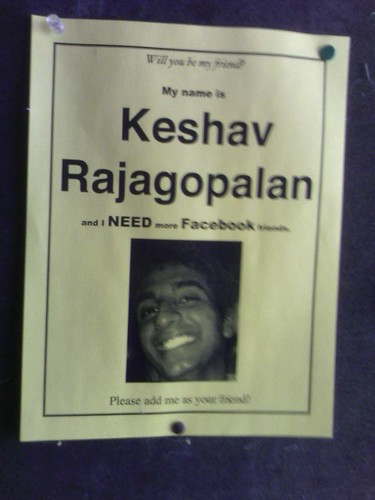
Old media helps out new media

So won't you help Keshav?

Pentagon is (probably) launching net attacks

That's good news! The (alleged) targets are Jihadi sites. John Arquilla is briefly quoted.

Danger Room - Wired News

technorati tags:, ,

Blogged with Flock

More comic strip generators

Following up on yesterday's item about comic strip generators that can be used for storyboarding, TechCrunch has a discussion on Zoho's offering in this arena. Also included are links to similar services.

And Now, Something A Little More Frivolous From Zoho

technorati tags:, , ,

Blogged with Flock

Truwex

456 Berea Street has a discussion on Truwex, a new accessibility validator.

Truwex Online: An accessibility and quality validator | 456 Berea Street

technorati tags:, ,

Blogged with Flock

JourneyPage: Invite others to help you reach your goals

If you're externally motivated, JourneyPage allows you to create a page for accountability. Sort of like a running buddy or a diet buddy.
JourneyPage lets you create a web page dedicated to your goal(s) and even add a project champion. Additionally, JourneyPage allows you to post what tasks you would like to accomplish daily. At the end of the day you report back to JourneyPage and update the status of your goals.

JourneyPage: The Ultimate Goal Support System - lifehack.org

technorati tags:

Blogged with Flock

Developing your online persona

Via Lifehacker, Web Worker Daily discusses how to make your online profile work for you:
Many web workers know that if you build your professional profile online, you might be able to skip resume writing and interviewing when looking for a new job or new clients. A strong online presence can sell you better than any one page summary or one hour meeting.
The advice boils down to: fewer drunken pictures on Facebook, more actual accomplishments.

Web Worker Daily » Blog Archive Why You May Need an Online Persona «

technorati tags:,

Blogged with Flock

Working bibliography on lifestreaming

I've mentioned lifestreaming and workstreaming a bit lately. Here's a working bibliography I've put together on the concept, based on searches I conducted in the ACM Digital Library. These academic references span several different implementations: mostly based on automated system monitoring, mostly individual rather than collaborative, mostly desktop based rather than web based.

What strikes me from this review is that, for the most part, the notion of lifestreaming as a collaborative enterprise isn't on anyone's radar until very recently. Mostly, the implementations below are focused on providing an alternative to the desktop metaphor, sort of a time-ordered, searchable stack of documents that you might go through like a stack on your desk. But in an open-plan environment, people get to see each others' stacks and sometimes share them. That seems to be the thrust of the more recent Web 2.0-based lifestreaming and workstreaming trends.

In any case, here they are:
  • Adar, E., Kargar, D., and Stein, L. A. (1999). Haystack: per-user information environments. In CIKM ’99: Proceedings of the eighth international conference on Information and knowledge management, pages 413–422, New York, NY, USA. ACM Press.
  • Aneiros, M., Estivill-Castro, V., and Sun, C. (2003). Group unified histories an instrument for productive unconstrained co-browsing. In GROUP ’03: Proceedings of the 2003 international ACM SIGGROUP conference on Supporting group work, pages 330–338, New York, NY, USA. ACM Press.
  • Bell, G., Gemmell, J., and Lueder, R. (2004). Challenges in using lifetime personal information stores. In SIGIR ’04: Proceedings of the 27th annual international ACM SIGIR conference on Research and development in information retrieval, pages 1–1, New York, NY, USA. ACM Press.
  • Carriero, N. and Gelernter, D. (2001). A computational model of everything. Commun. ACM, 44(11):77–81.
  • Dourish, P., Edwards, W. K., LaMarca, A., Lamping, J., Petersen, K., Salisbury, M., Terry, D. B., and Thornton, J. (2000). Extending document management systems with user-specific active properties. ACM Trans. Inf. Syst., 18(2):140–170.
  • Dragunov, A. N., Dietterich, T. G., Johnsrude, K., McLaughlin, M., Li, L., and Herlocker, J. L. (2005). Tasktracer: a desktop environment to support multi-tasking knowledge workers. In IUI ’05: Proceedings of the 10th international conference on Intelligent user interfaces, pages 75–82, New York, NY, USA. ACM Press.
  • Fertig, S., Freeman, E., and Gelernter, D. (1996). Lifestreams: an alternative to the desktop metaphor. In CHI ’96: Conference companion on Human factors in computing systems, pages 410–411, New York, NY, USA. ACM Press.
  • Freeman, E. and Gelernter, D. (1996). Lifestreams: a storage model for personal data. SIGMOD Rec., 25(1):80–86.
  • Ganoe, C. H., Somervell, J. P., Neale, D. C., Isenhour, P. L., Carroll, J. M., Rosson, M. B., and McCrickard, D. S. (2003). Classroom bridge: using collaborative public and desktop timelines to support activity awareness. In UIST ’03: Proceedings of the 16th annual ACM symposium on User interface software and technology, pages 21–30, New York, NY, USA. ACM Press.
  • Gemmell, J., Bell, G., and Lueder, R. (2006). Mylifebits: a personal database for everything. Commun. ACM, 49(1):88–95.
  • Gonsalves, D. and Jorge, J. A. (2004). Describing documents: what can users tell us? In IUI ’04: Proceedings of the 9th international conference on Intelligent user interfaces, pages 247–249, New York, NY, USA. ACM Press.
  • Kaptelinin, V. (2003). Umea: translating interaction histories into project contexts. In CHI ’03: Proceedings of the SIGCHI conference on Human factors in computing systems, pages 353–360, New York, NY, USA. ACM Press.
  • Nardi, B. A., Whittaker, S., Isaacs, E., Creech, M., Johnson, J., and Hainsworth, J. (2002). Integrating communication and information through contactmap. Commun. ACM, 45(4):89–95.
  • Rekimoto, J. (1999). Time-machine computing: a time-centric approach for the information environment. In UIST ’99: Proceedings of the 12th annual ACM symposium on User interface software and technology, pages 45–54, New York, NY, USA. ACM Press.
  • Smale, S. and Greenberg, S. (2006). Transient life: collecting and sharing personal information. In OZCHI ’06: Proceedings of the 20th conference of the computer-human interaction special interest group (CHISIG) of Australia on Computer-human interaction: design: activities, artefacts and environments, pages 31–38, New York, NY, USA. ACM Press.

Wednesday, March 28, 2007

Using a comic strip generator for storyboarding

Johndan cites Collin citing Stripgenerator, a site for creating comic strips. It occured to me in class that Stripgenerator could also be used for storyboarding in user-centered design processes. Here's an example I put together in a few minutes.


work/space: Stripgenerator: DIY Comics

technorati tags:, ,

Blogged with Flock

Lifelog

The LifestreamBlog discusses a lifestreaming platform in development. The example shows tabs so that you can isolate different feeds. An improvement over a standard RSS aggregator?

lifestreamblog.com » Blog Archive » Preview of a New Lifestreaming Platform Being Developed

technorati tags:

Blogged with Flock

Thoughts on Twitter as a platform

Continuing the discussion I started the other day, Twitter has added more direct-text features, opening the possibility of using it to text other SMS-based services. TechCrunch has a lengthy post on the subject, but here's a money quote from OmniDrive founder Nik Cubrilovic:

The advantage that Twitter has is that it is a generic communications platform with social networking components. It can be accessed with SMS, Instant Messaging, the website itself and a plethora of applications that have already been built to read/write to Twitter. For potential service providers, Twitter has a rapidly growing base of users who originally signed up as a way to communicate with ‘real’ friends. These users have already registered their email addresses (for email in/out), mobile phones (for SMS in/out) and IM handles (for read/write via IM).
Yes, the real potential is in the integration among multiple communication streams: IM, SMS, WWW. TechCrunch draws the correct parallel in comparing Twitter to YubNub.

Twitter as a Communications Platform | New Web Order - Nik Cubrilovic

technorati tags:, , ,

Blogged with Flock

Monday, March 26, 2007

LifestreamBlog

Mark Krynsky has started a blog on the topic of lifestreaming. Just a few posts so far, but looks interesting.

lifestreamblog.com

technorati tags:,

Blogged with Flock

Friday, March 23, 2007

EditGrid

Haven't tried it, but lifehack.org loves it and says it's light years ahead of Google Spreadsheets. Killer feature: You can embed spreadsheets in normal pages, just as you would with a YouTube video.

Review: EditGrid a web based spreadsheet application - lifehack.org

technorati tags:, ,

Blogged with Flock

"Clearly, the movie is propaganda -- extremely well-done propaganda -- but propaganda can be used to sell what is true."

Ann Althouse watches An Inconvenient Truth.

Althouse: I'm going to watch "An Inconvenient Truth."

technorati tags:, ,

Blogged with Flock

"That may be good messaging to stockholders, but it isn’t what the public cares about."

Michael Arrington puts his finger on the problem with the unnamed NBC-NewsCorp joint venture that aims to challenge YouTube:

The two key messages Chernin and Zucker were selling were (1) afocus on respecting copyright, and (2) the fact that they were creatingwhat they called “the largest advertising platform on earth.” That maybe good messaging to stockholders, but it isn’t what the public caresabout.

I think a better approach would have been to focus on the userexperience, but this was hardly mentioned (except at one point whenZucker said “we are shocked at the willingness of the consumer to sitthrough the whole show with ads on NBC.com”). It’s either arrogance orit’s blindness to the reality of this Bittorent and YouTube world.Either way, it suggests they are in over their head.

He also reminds us of the history of similar ventures: "As Valleywag pointed outtoday, EMI, BMG, and Sony Music banded together in 1999 to deal withthe Napster situation and created Musicnet, which was a dismal failureand was named by PC World as one of the worst tech products of all time."

Dear Clown Co.: Name This Thing Fast Before Its Too Late


technorati tags:,

Blogged with Flock

Thursday, March 22, 2007

TechCrunch on Twitter

Michael Arrington took the plunge.

(what about the reading list?)

Since combining my two blogs, I've been blogging heavily about net work and its permutations. But I also blog everything I read -- right? What's happened to the book reviews?

Well, what's happened has been the ebb and flow of the job. Right now I'm trying to finish up several projects that are all competing for my attention. So I have one book that I've been meaning to review for weeks, and another that I'm half through and haven't been able to finish for weeks. I haven't given up on that aspect of the blog, I just haven't had time to do the necessary reading. So that's the ebb. Expect the flow this summer.

Tuesday, March 20, 2007

Socrates' student evals

You have to read them. They're pretty much what you'd expect, and I found myself sympathizing primarily with the students. Via Ann Althouse.

Althouse: "Socrates is a real drag, I don't know how in hell he ever got tenure. He makes students feel bad by criticizing them all the time."

technorati tags:

Blogged with Flock

Finally, my thoughts on Twitter.

I'm not in love with Twitter, but I've been thinking about it a lot over the last few days. Why? Because, unlike some critics, I think there's a big difference between the prevalent use of Twitter ("I'm waking up now!" "I'm having breakfast!") and the potential uses for this sort of medium. That is, I see Twitter and similar services as a medium rather than a genre; it's a launching point for possible new and hybrid genres.

Because of that, I'm not terribly worried that Twitter use is seeing a precipitous drop in the UK and a leveling after the SXSWi peak. There's plenty of room for stabilization and diversification of use:
From this totally ad hoc and uncontrolled experiment - and this is not a criticism of Twitter - it appears that relatively speaking, Twitter is more a channel for annotating one's daily activities than it is to express opinions (at least, if we take politics as an example of a space in which people could express opinion). That is going to change. There are a number of institutions which are starting to use Twitter to channel hooks to their content - e.g. news sites either by themselves or via some third party mashing are starting to publish content to Twitter. This will likely impact the topical space of Twitter content.
Certainly we're seeing applications in lifestreaming, auto-event notification, and professional work as well as more mundane uses. I agree with Peter Merholtz that those uses could be radically expanded if Twitter were to include event handling (think conferences) as well as differential permissions. One of the reasons it was such a big hit at SXSWi was that conferencegoers could silently share messages with each other. Those messages were occasionally egocentric, but more often contributed to a larger understanding of the conference. If you have Twitter sending texts to your phone, or you're monitoring it on your laptop, you find out what's going on in the other conference sessions as they happen -- what's interesting, what's lame. You also find out when and where freebies are being passed out, if you're into that sort of thing. (I have enough T-shirts, so I passed on that.)

The killer app for Twitter at conferences, though, was in the evening. Whose party is currently heating up, and whose is cooling down? Does the Lifehacker party really have an open bar? (Yes.) Does the PayPal party require preregistration like they said? (Yes, but they are currently bending the rules.)

Keeping all this in mind, here's a quick set of uses for Twitter or similar services. If you're at Twitter, think hard about these; if you're not, think about creating a similar service that meshes SMS, IM, and WWW.

Private (cohort) uses:
  • Collaborative time logging. See what's going on with others working on the same project. Could contribute to overall awareness in a more fine-grained way than Basecamp or other collaborative project management systems do.
  • Events management. So you're coordinating SIGDOC 2007 and you want to keep apprised of important occurrences while you're in a session? Put your phone on vibrate and enable Twitter.
  • Swarming. The WTO protests in Seattle were coordinated by cell phone. Similar street-level political action could be coordinated more effectively, and awareness could be more distributed, by something like Twitter.
Public uses:
  • Workstreaming. Not just for ego, but to communicate work and work habits to potential clients. Important especially for contractors and small businesses.
  • Clubbing, church, or other activities in which it's hard to coordinate due to noise and distance constraints.
  • Conference-going.

Freecycle, Craigslist

I don't do garage sales anymore -- you generally make a few cents an hour and have to deal with people who treat you like a shopkeeper -- but how else can I get rid of all the junk I just purged from my garage? Freecycle and Craigslist have been invaluable in this regard. If something has little to no intrinsic value, we Freecycle it: someone always wants whatever you need to give away (an exercise bar? a Pentium-class computer with no hard drive?). If it has a little value, we Craigslist it (that old weight bench that we never use). Transactions are one-to-one, facilitated with low-friction software, and managed by email. And NO EARLY BIRDS.

Bruno Latour is trapped in a fortune cookie factory

"A leader is powerful to the degree he empowers others." -- Fortune in the fortune cookie I got at Kim Phung last week.

Monday, March 19, 2007

"This is going to be an expensive campaign season, but if you are doing a fundraiser, then campaign for some votes too."

At Burnt Orange, they're upset that Hillary Clinton is holding big-dollar fundraisers in Austin rather than spending much time rallying support:

This is going to be an expensive primary and an even more expensive general election. But why take Texas for granted? Texas may or may not be one of the many states to have a February 5 primary, and there is little to no cost to have a public event.

There is no rational to jet in, take huge sums of cash, and then leave with out talking to voters.

2008 can be summed up as a wide open field. The Democrats have a deep bench of candidates running this year. Why only talk to donors and not voters?

I love the great state of Texas, but I don't blame Clinton's strategy. In the primaries, I think it's rather unlikely that Texas will bump up from Super Tuesday in the coming cycle, so Clinton is concentrating on knocking out the opposition before then. And in the general election, Clinton is not following Dean's controversial fifty-state strategy.

Comparing project management systems

My sysadmin passed me this head-to-head-to-head comparison. I haven't used Goplan yet, but the assessments of the other two seem correct.

Basecamp, activeCollab, and Goplan compared

technorati tags:, , ,

Blogged with Flock

Sunday, March 18, 2007

Twitter roundup

I'm still thinking about Twitter, not because I think it's a fantastic app but because it, or something like it, seems to have real potential as an infrastructure on which many possible uses can be built. More thoughts soon, but here's my bookmarks.

Thursday, March 15, 2007

Wednesday, March 14, 2007

Another killer app for Twitter ...

... would be team celebrity stalking. They should crossmarket with Gawker Stalker.

SXSWi photos are up

Although they're not much to look at.

Enterprise dashboards and mashups

A natural fit. Okay, now add workstreaming ...

Mashups on Enterprise Dashboards - Is Mash-Dash the 2.0 of Enterprise Dashboards?


technorati tags:, , , ,

Blogged with Flock

My lifestreaming experiment

My lifestreaming experiment is a lot less intrusive and a lot more hacked together than those I mentioned in the last post, but it's a quick-and-dirty proof of concept using my personal online presence. Basically, I just threw all of my feeds into the Drupal aggregator and made the stream my homepage. I have to say it does make my site more dynamic. Comments?

Added: I've moved the workstream (not really a lifestream after all) to a subpage so that I could advertise two important calls for papers on my front page. I've also added a stream from my Twitter account, but with some trepidation.

Lifestreaming

A little while ago I blogged about workstreaming, "the publishing of work-related activities and events to your remote colleagues, usually via RSS but sometimes in other formats and ways." My flagger pointed to a similar but expansive phenomenon, known variously as lifestreaming or datastreaming or lifelogging.

The idea is that we're online so much, and logging so much of our existence via separate services, that we should be able to compile a timestamped record of our online existence. And since that existence intersects heavily with offline existence, we can do all sorts of autotracking, providing a second memory of our activities. Emily Chang describes it this way:
For now, this activity stream idea is providing the start to a holistic view of my activity across online networks: both my own and the ones I use. In turn, this acts as a conduit for you, the reader. Rather than just a static “recommended links” page or a blogroll, the data stream opens up my activity to you in semi-realtime and at one website. I’ll continue tweaking the content, navigation, and layout so watch for changes. Let me know what you think!
I haven't yet let her know what I think, partially because I'm still thinking through the concept. On the one hand, this seems like a natural progression in the context of net work, in which barriers between work, social, and civic lives tend to fall and in which constant collaboration and communication become necessary for sustaining the sorts of boundary-spanning we have to do. Chang runs a web consultancy (among many other things) and it makes sense that clients, contractors, vendors, etc. know what she's up to. So tracking her location on Plazes, seeing her social chatter on Twitter, and viewing her planned events on Upcoming -- all in one place -- seems like a tremendous resource. Furthermore, a datastream like this obviates the need for other sorts of time tracking for projects; the data are all there, they just need to be tagged or otherwise characterized.

On the other hand, lifestreaming seems to be giving away a lot of privacy, and reviewing her datastream makes me feel like a stalker. I can't imagine sharing this much information with the world. But I suppose we all can and do edit what we feel comfortable sharing. Maybe I'll try something similar with the information I'm already putting out there.

Tuesday, March 13, 2007

Twitter at SXSWi

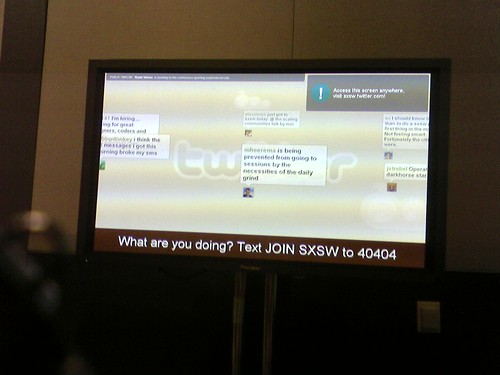
One of the first things I noticed when walking into the lobby on Friday was a big screen showing icons floating from left to right, displaying thought bubbles. This display was courtesy of Twitter, a social networking site that consists entirely of redirecting IMs and text messages to group displays. In practice, this means that people would text or IM their thoughts to Twitter during the sessions and those thoughts would show up on the big screen in the hall outside. They would also be broadcast to friends of those people.

Great, but what on earth is it useful for? In a convention context, it could have been useful if I had been trying to coordinate activities with a small cadre of friends. Suppose that my friends and I are attending different sessions. If my session is not good, I text that fact to Twitter. If it's great, I text that instead. The result: we can loosely coordinate swarming without making disruptive voice calls or individually setting up texting lists. (SXSWi is much looser than academic conferences about changing rooms.)

But there's an analogous but much more direct application. Last night I was at the Lifehacker party and I started getting Twitter traffic reporting on the various parties. The traffic mostly had to do with (a) which parties were lame and (b) which parties had free drinks. Let's call it a "beer swarm." And this use was even better, since texting is much preferable to voice calls in a loud party context and since these texts are applicable to a far wider range of friends. There's your killer app. I don't think that Twitter will take off in an office context, but in contexts where you have to silently coordinate an all-channels network, it fits the bill.

Recovering from SXSW

I've been at South by Southwest Interactive since Friday evening, and am just exhausted. As usual, conferences that take place in one's home town are harder than conferences located elsewhere, since you have to make rapid transitions and divide your attentions. But I was still able to attend some great panels (and some not-so-great ones), meet some great people, and think a lot about the future of mediated interaction.

Since I won't be going to CCCC/ATTW next week, I'll be taking the next week and a half to digest what went on, summarize my notes, and add some thoughts on SXSW. It's a really interesting conference, with much more vendor stuff than you normally see at academic conferences, some surprising depth in some areas, and some surprising thinness in others. All in all, it was invigorating, and I'll probably go again.

SXSWi posts will be tagged "sxswi2007."

Friday, March 09, 2007

Virtual worlds roundup

We're becoming interested in virtual worlds at the CWRL, but SL at present seems too open for pedagogical purposes. So I'm going to have my people look at this list of similar environments.

Boing Boing: Roundup of Second Life-like games

technorati tags:,

Blogged with Flock

Linux reduces waste

In a carbon offsets sort of way.

Boing Boing: Linux reduces e-waste by 50%

technorati tags:,

Blogged with Flock

Breaking networks

A networked org structure has a lot of advantages for terrorists and insurgency groups. How do you fight it?
And what have they learned since network studies got serious in the wake of 9/11? That there are three major vulnerabilities in networks:
1) Density nodes: people with many immediate connections, e.g. leaders
2) Centrality nodes: people with fewer immediate connections but who serve as crossroads in many relationships, e.g. financiers
3) Boundary spanners: people with few (maybe just two) connections but who span long gaps between chunks of the network, e.g. liaisons or messengers

WIRED Blogs: Danger Room

technorati tags:, ,

Blogged with Flock

WritersUA's tech writer salary survey

Ever wondered what TWs make? Johndan has the link. If you run a TC program, look at the high-value niches and ask whether your program prepares people to fill them.

work/space: Results of WritersUA's Tech Writer Salary Survey

technorati tags:,

Blogged with Flock

SXSW: condoms for the film and music bags, not the Interactive ones

Here's a stunner:
I just finished a volunteer shift stuffing conference bags and thought it my civic duty to inform you that we will not be receiving any condoms in the Interactive Bags.
I guess it depends how you define "Interactive."

south by southwest festivals + conferences

technorati tags:,

Blogged with Flock

M$ wants a piece of Google Apps and Zoho

According to a catch by TechCrunch, it looks like a light web-based Excel viewer/editor is in the works.

Confirmed: Microsoft Building Google Apps/Zoho Competitor

technorati tags:, ,

Blogged with Flock

Tomorrow's startups today

TechCrunch has a great roundup of startups funded by Y Combinator. Lots of interesting services. Rhet-comp people might be interested in WriteWith, a collaborative writing service that incorporates workflow.

Demo Day: Y Combinator’s Spring Chicks

technorati tags:, ,

Blogged with Flock

captioning Flash

WGBH's National Center for Accessible Media (NCAM) is providing a new component that allows Flash developers to add captions to video in Flash. "cc for Flash" is a free download and is available at the NCAM web site.

Accessibility: New Captioning in Flash Component

technorati tags:, ,

Blogged with Flock

Spooky radar

Not exactly radar. Not exactly implementable at present either, but might as well put your stake in the ground:
Defense giant Lockheed Martin is applying Einstein's "spooky action at a distance" to a far-out concept for a "quantum radar" that would be a (forgive the pun) quantum leap over current radar technology. The company filed a patent on the idea in Europe, according to this article in the U.K. Guardian.
If it does pan out, it promises a breathtakingly wide and detailed view of a given theater of operations.

WIRED Blogs: Danger Room

technorati tags:,

Blogged with Flock

Shalom, puny humans

Danger Room has a feature on Israeli-developed killer robots:
Two-and-a-half years later, we're all still waiting. The reason: safety. Talons -- like all computers, like all machines -- have a tendency to act extremely weird every once in a while. That's acceptable, in the Talon's unarmed configuration. But when it's carrying a gun? No dice. We've all had Windows crash on us. Now imagine if your laptop had an automatic weapon.

WIRED Blogs: Danger Room

technorati tags:,

Blogged with Flock

Editing social news sites

The beauty of these sites is that they don't need an editor. It's the wisdom of crowds. Right?
But then, politics came into play. It seems that politics is a topic that people care about so much they’re ready to go all “Lord of the Flies” on each other and ruin the otherwise perfect system, their tropical paradise island of user-submitted news. It took a while for this to happen, but in the recent months it is impossible not to notice. Both Digg and Reddit are swarmed with leftist, rightist, anti-Islam, pro-Islam, anti-Bush and similar stories. Digg is cleaning up the mess, but at what expense?

Reddit learns about the importance of editors the hard way - franticindustries.

technorati tags:,

Blogged with Flock

Shalom, puny humans

Danger Room has a feature on Israeli-developed killer robots:
Two-and-a-half years later, we're all still waiting. The reason: safety. Talons -- like all computers, like all machines -- have a tendency to act extremely weird every once in a while. That's acceptable, in the Talon's unarmed configuration. But when it's carrying a gun? No dice. We've all had Windows crash on us. Now imagine if your laptop had an automatic weapon.

WIRED Blogs: Danger Room

technorati tags:,

Blogged with Flock

Relics of the empire

Boing Boing: Frozen bust of Lenin presides over the South Pole

technorati tags:,

Blogged with Flock

More griefer bait

The Obama campaign opens a campaign headquarters in SecondLife, and YearlyKos will also have an outpost there.

techPresident – How the candidates are using the web, and how the web is using them.

technorati tags:,

Blogged with Flock